Start with a preset
Web, social media and commerce presets provide starting settings. Size, output format and cropping options remain visible in the pipeline panel.
Portfolio
PixPack by improveIT.pl is a desktop studio for preparing images for websites, social media and commerce. It combines batch import, a clear queue, presets and a pipeline for resizing, central cropping and export. Images are processed locally without an account or cloud uploads. Built with Tauri 2, React, TypeScript and Rust, it also has a browser preview supporting the core workflow.
Preparing multiple images requires repeatable settings, format control and protection of originals. The challenge was to combine a straightforward interface with a local processing engine and clear per-file reporting.
PixPack guides users from import through preset selection and pipeline configuration to export. The Rust engine uses a bounded worker pool and isolates individual file failures. Outputs receive separate names, while reports show sizes and differences between input and output files.
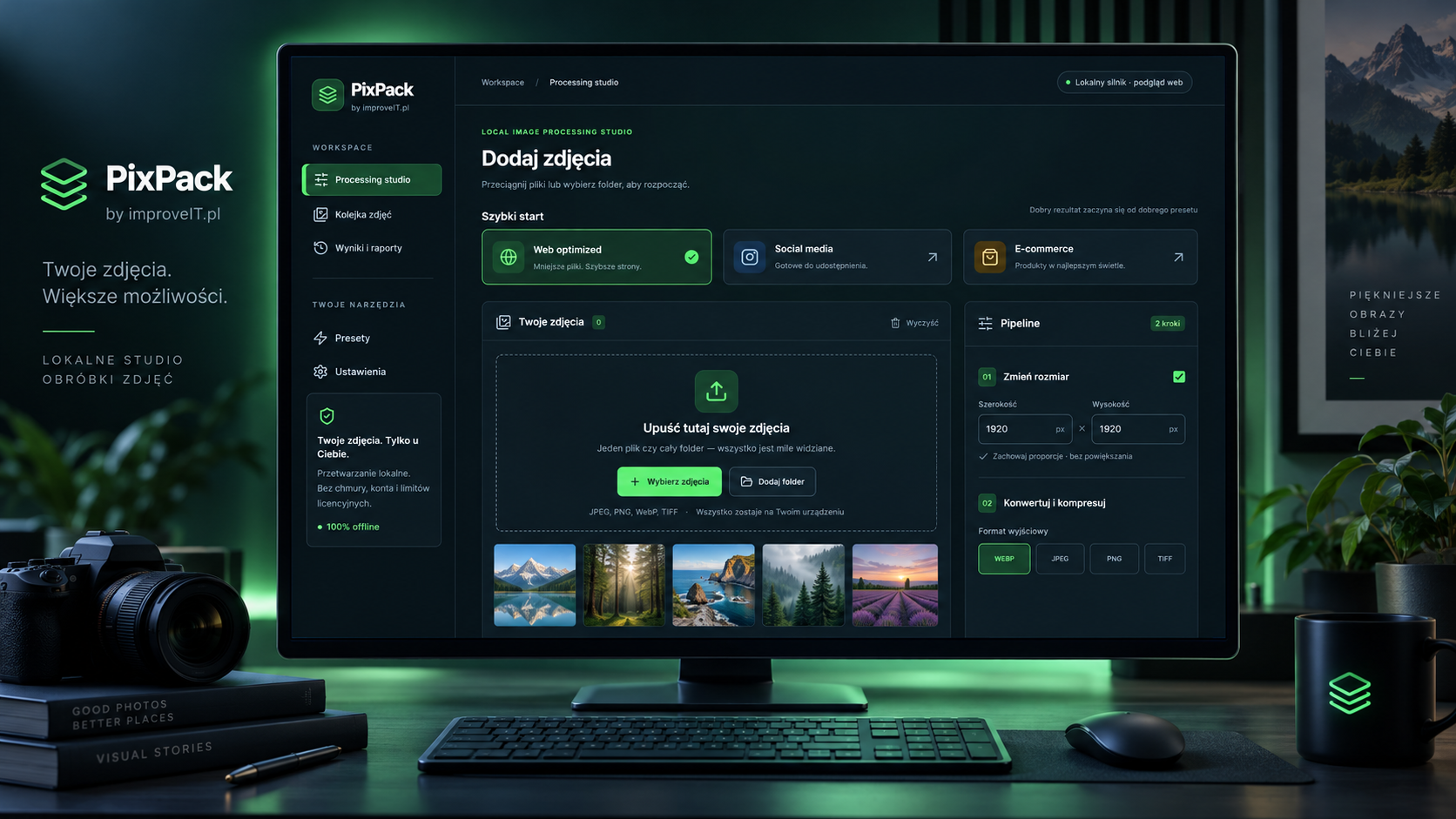
One workflow organizes import, settings and export for multiple images.
Web, social media and commerce presets provide starting settings. Size, output format and cropping options remain visible in the pipeline panel.
Reduce dimensions without upscaling and select the output format. Percentage quality applies to JPEG; PNG, WebP and TIFF are lossless in the current engine.
Exports use a -pixpack suffix and additional names when files collide. JSON reports summarize results and sizes; conversion does not always produce smaller files.
PixPack combines a web interface with a Rust desktop processing engine.
Processing does not require sending images to an external service. The application requires no account and uses no telemetry or external runtime assets.
In Tauri, a bounded pool of 1–4 workers processes the queue. Pause, resume and cancellation operate between files; an active encoding operation finishes before stopping.
The web preview supports image import, resize, crop and JPEG, PNG and WebP downloads. Folders, TIFF and worker control require Tauri. Target operating systems and installers are agreed separately.