Access without internet
Open the vault locally to use passwords, documents and notes while travelling or working without connectivity.
Portfolio
Vaultio by improveIT.pl is a desktop manager for passwords, documents and confidential information for individuals and businesses. Keep data in a local encrypted vault without mandatory cloud storage, with offline access. Accounts, documents, notes, technical secrets and asset information stay organized in one place. Combined with a protected device and a considered backup policy, Vaultio can serve as a controlled source of important business information.
Important information is often scattered across files, notes and accounts. The challenge was to design one place to organize it, with local access, a clear vault lock state and an understandable backup workflow.
Vaultio combines an overview dashboard with search and data categories. Vault creation includes a location, name, master password and optional additional access file. The main view presents category summaries, assets by owner and recent entries, with locking and backup controls accessible from the interface.
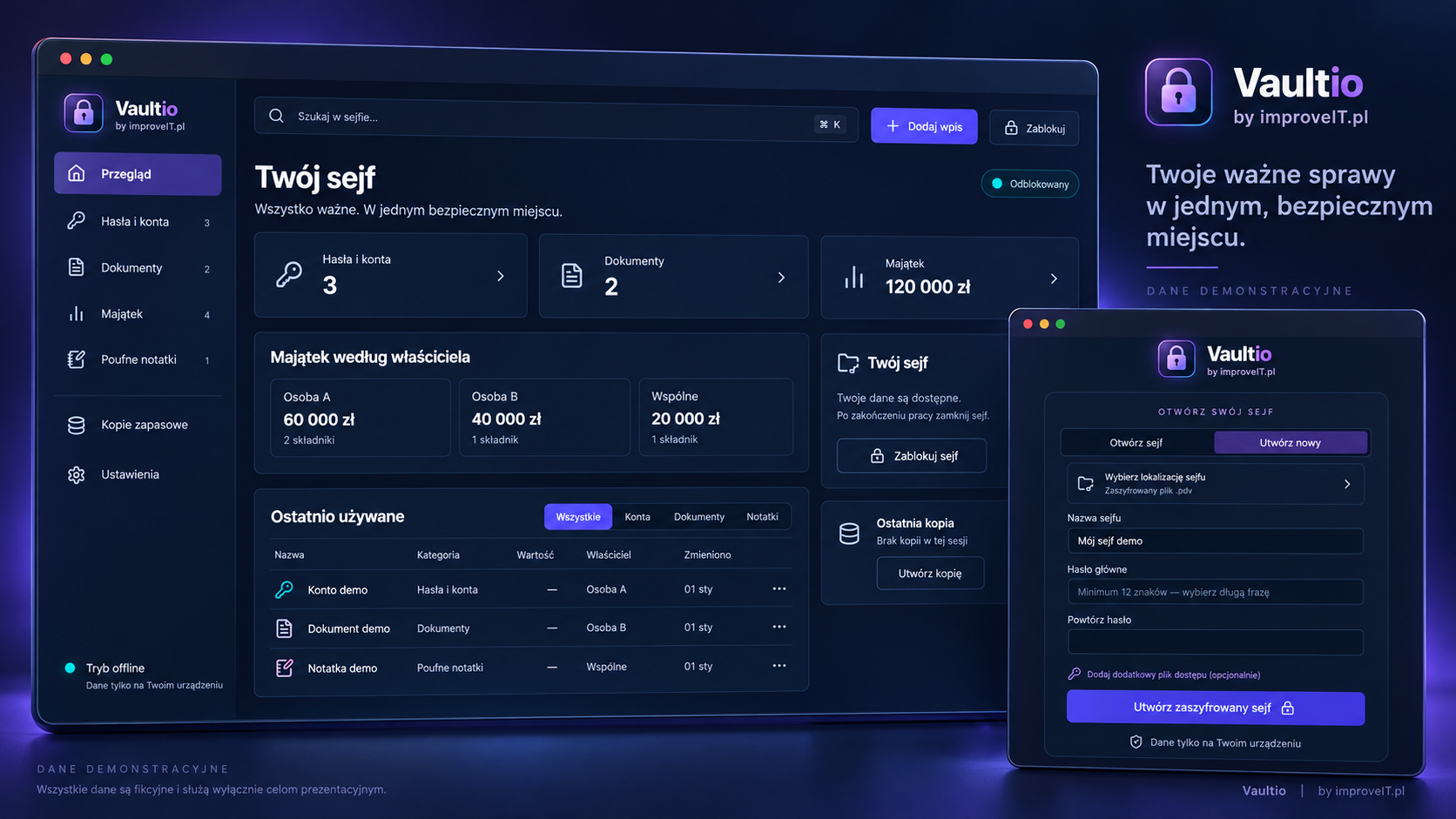
Vaultio can be a local hub for personal and business information, with the vault under its owner’s control.
Open the vault locally to use passwords, documents and notes while travelling or working without connectivity.
Choose the vault file location and backup destination. Local workflows do not require storing vault contents in an external cloud service.
Categories and search help locate entries instead of scattering important information across messages, loose files and unprotected notes.
Organize several kinds of sensitive information in one vault for everyday work.
Store access details for services, administration panels and business accounts. Clear entry names make the right credentials easier to find without keeping them in plain text files.
Organize important documents, contract information, procedures and private notes. Before delivery we clarify whether a workflow needs file storage, descriptions or references to an existing company repository.
Keep information about API keys, technical resources and assets organized. Summaries by owner help clarify responsibility for individual entries.
Vaultio can serve as a local source of confidential information for an authorized owner, administrator, accountant or employee responsible for a defined workflow.
Bring account information, documents, assets and emergency procedures into one place to support everyday operations and continuity planning.
Organize credentials, configuration notes and resource information. Access to the vault should reflect the responsibilities of the person using it.
Include local storage in your security policy with a named custodian, approved device, defined data scope and backup process. Sharing, team roles and integrations need a separately agreed scope; a local vault does not automatically provide multi-user collaboration.
File encryption and device encryption address different risks. A business deployment should consider both layers.
An encrypted vault reduces the risk of reading its contents from a copied file without the required access information. A strong, unique master password and an optional additional access file form part of that model.
The vault and its backups can be stored on a drive or medium protected by operating-system encryption. This adds protection if equipment is lost or stolen; Vaultio does not replace whole-disk encryption tools.
Working without mandatory cloud storage removes the need for a hosted vault copy. Locking the vault after use limits casual access to the open interface. Device protection, updates and company access policies remain part of the setup; encryption cannot fully protect an unlocked, compromised computer.
Vaultio is compatible with hardware security keys, allowing a physical key to be included in the vault access protection setup. Supported key selection and configuration are agreed for each deployment.
Confidentiality and recovery after an incident are separate goals. A Vaultio deployment should include a backup plan.
Store a copy of the encrypted vault on a separate, protected medium. A copy on the same drive does not protect against device failure or loss of the computer.
Define backup frequency, retention and responsibility. Periodically check that a backup can be opened so the recovery process is verified before an incident.
Without the master password and any required additional access file, recovery may be impossible. Protect those access materials and define an emergency procedure separately from the vault backup location.