PixPack — Batch Image Converter
Resize, convert and optimize images locally on macOS, Windows and Linux.
JPEG · PNG · WebP · TIFF
macOS · Windows · Linux
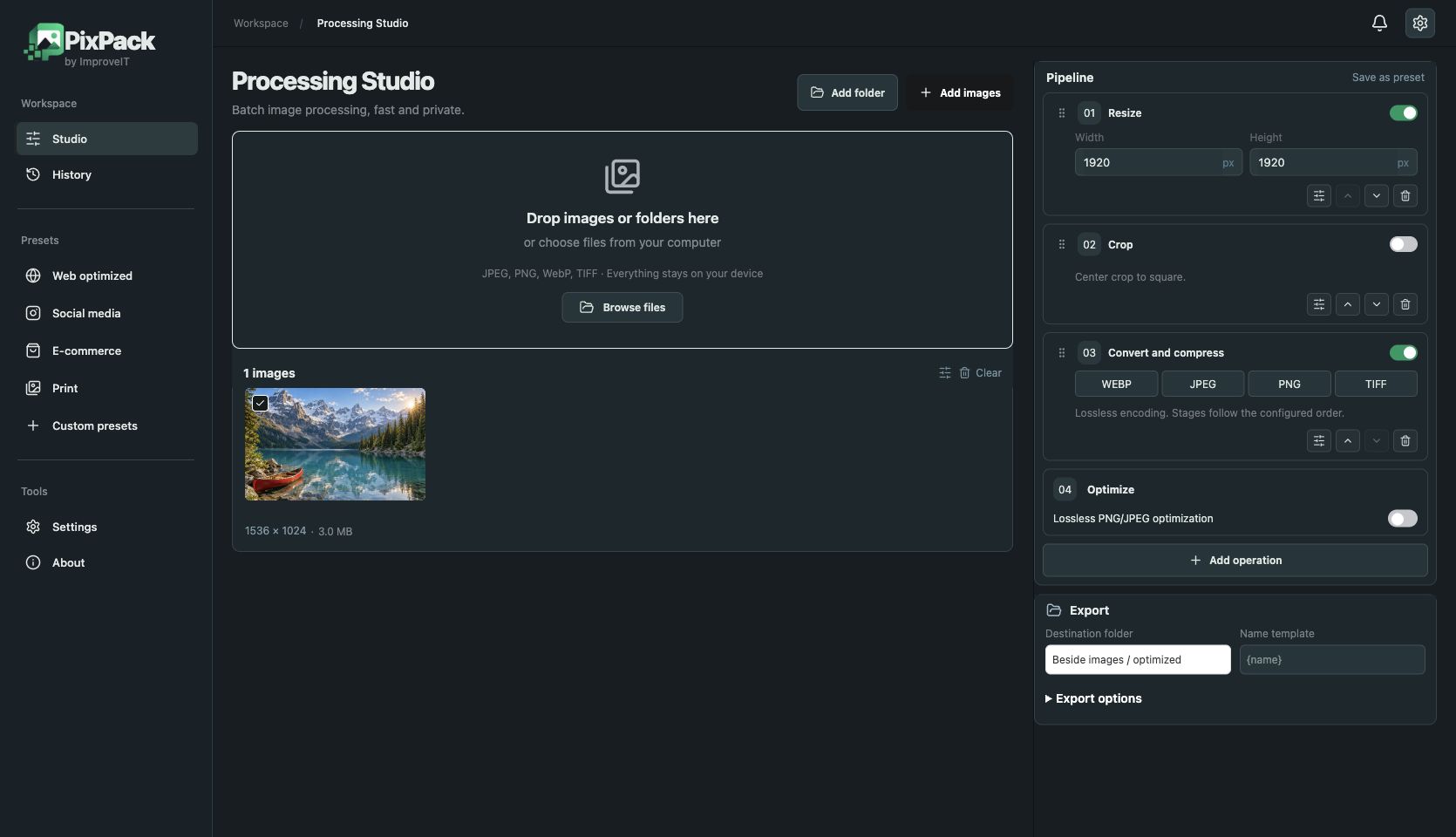
Live operation previews
Review resize, crop and colour changes before processing the whole queue.
Crop, rotate and resize
Choose crop ratio and position. Resize with contain, cover or stretch.
Colour and detail
Adjust brightness, contrast, exposure, saturation, gamma and sharpening.
Watermarks and AI marker
Add an image watermark or visible AI marker, controlling position, scale and opacity.
Presets and history
Save custom settings, use presets and revisit previous processing jobs.
Export controls
Choose output directory and filename template. Premium supports multiple output formats in one job.
Find your workflow
Download PixPack 0.1.9
- macOS — Apple Silicon — DMG
- macOS — Intel — DMG
- Windows — x64 — EXE
- Windows — ARM64 — EXE
- Linux — x64 — DEB
- Linux — x64 — AppImage
- Linux — ARM64 — DEB
- Linux — ARM64 — AppImage
- Linux — x64 — DEB — GPG (.asc)
- Linux — x64 — AppImage — GPG (.asc)
- Linux — ARM64 — DEB — GPG (.asc)
- Linux — ARM64 — AppImage — GPG (.asc)
- SHA-256
- SHA-256 — GPG (.asc)
- Linux — public GPG key
PixPack 0.1.9 with Stripe and Premium. macOS Apple silicon and Intel: Developer ID signed and Apple notarized. Windows x64 and ARM64: no Authenticode signature. Linux x64 and ARM64: DEB and AppImage with detached GPG signatures (.asc).
Privacy policy · Terms and conditions
FAQ
Does PixPack upload images?
Images are processed locally on your computer. Payment and licence verification require internet access.
What does PixPack Free include?
Free works without an account and supports up to five unique queued files.
How much does Premium cost?
Premium costs $9.99 USD once and removes the queue limit after licence activation. Final totals and taxes appear before payment.
Which systems does PixPack support?
Packages are available for macOS, Windows and Linux. Choose the download for your system and processor.